Halo Hardware Manual
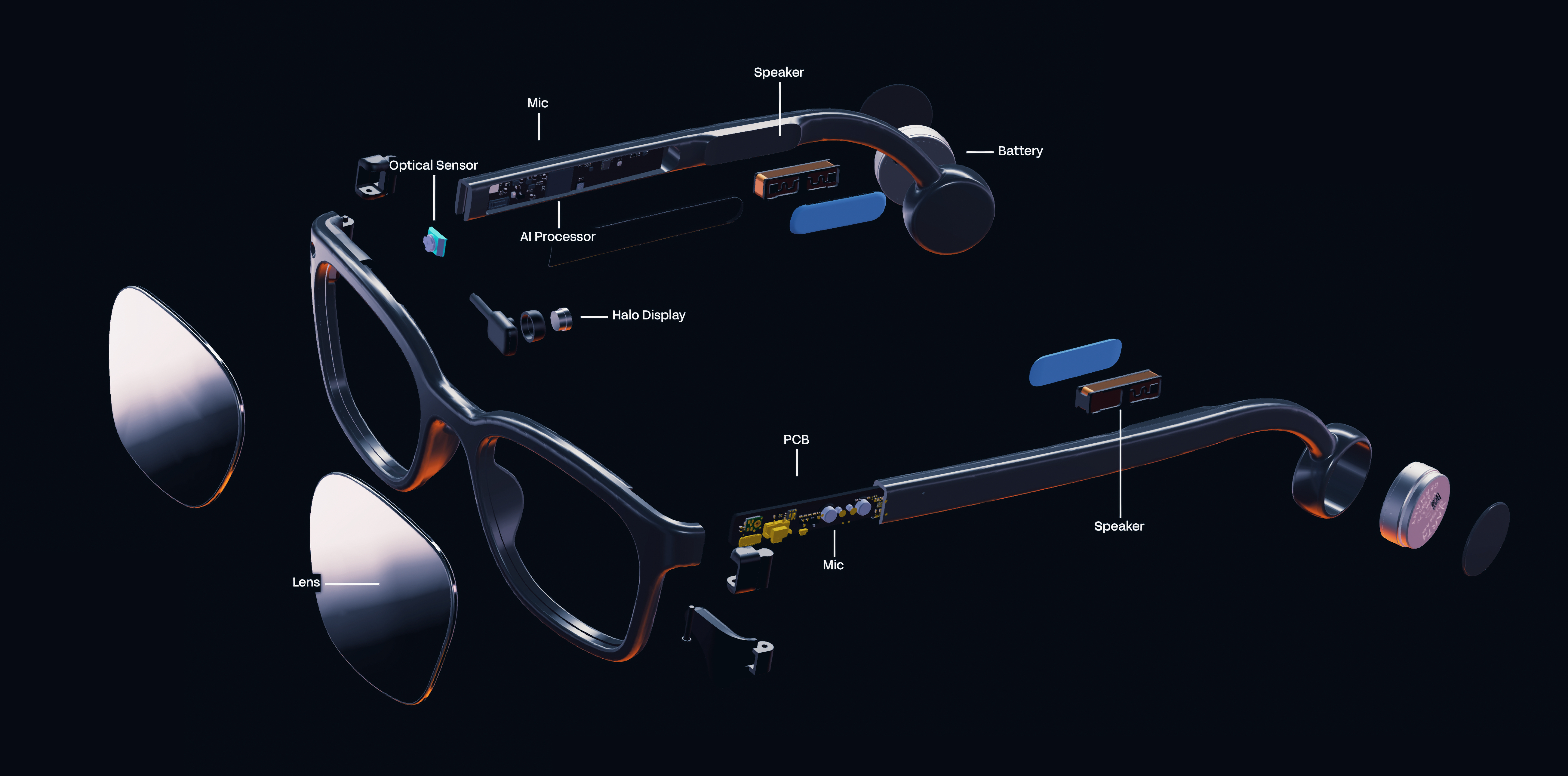
Here you’ll find all the details about how Halo works under the hood. For software related information, be sure to also check out the Brilliant SDK including Lua API pages.
Key features
- 0.2” color OLEDoS micro-display (256x256px drawable area)
- 640x480 global shutter color camera
- Stereo microphones
- Stereo bone conduction speakers
- Arm Cortex-M55 CPU, Arm Ethos-U55 NPU
- Bluetooth LE 5.3
- 300mAh built-in rechargeable li-ion battery (2×150mAh cells)
- 3 axis accelerometer with tap detection
- 3 axis e-compass
- Full featured Zephyr OS with Lua VM
- Magnetic charging connector
Example uses:
- Generative AI on the go
- Heads up telemetry
- AR app & game design
- Voice interaction
- Computer vision research
Contents
- Hardware block diagram
- Bluetooth MCU
- Display
- Camera
- Microphones
- Speakers
- Motion Sensor (IMU)
- Button
- Power
- Mechanical
- Safety & limitation of liability
Hardware block diagram
This diagram shows a general overview of the Halo internal hardware architecture.

Bluetooth MCU
The Bluetooth MCU serves as the main processor for Halo. It handles all network communication and running of user logic. The MCU used is the Balletto B1 from Alif Semiconductor. It contains a 32bit Arm Cortex-M55 CPU, Arm Ethos-U55 Neural Processing Unit (NPU), 1.8 MB of MRAM flash storage, 2.0 MB of SRAM, and features Bluetooth LE 5.3 connectivity.
As standard, Halo runs Zephyr OS and a Lua VM that allows for scripting and remote access fully over Bluetooth. No programming cables, or proprietary software is needed to use the device.
The firmware is fully updatable over the air (OTA) using MCUboot and BLE. If you’re using a Halo-compatible app, these updates should be automatic, however if you’re developing your own apps, take a look at the Halo SDK Bluetooth Specs page to see how you can implement firmware update capability into your own apps.
Customizing the firmware
Halo is intended to be used with the officially provided firmware from Brilliant, however it is possible to customize the firmware if desired.
If you wish to view the source code, or use it as a starting point for your custom firmware, visit the Halo codebase repository (coming soon).
Display
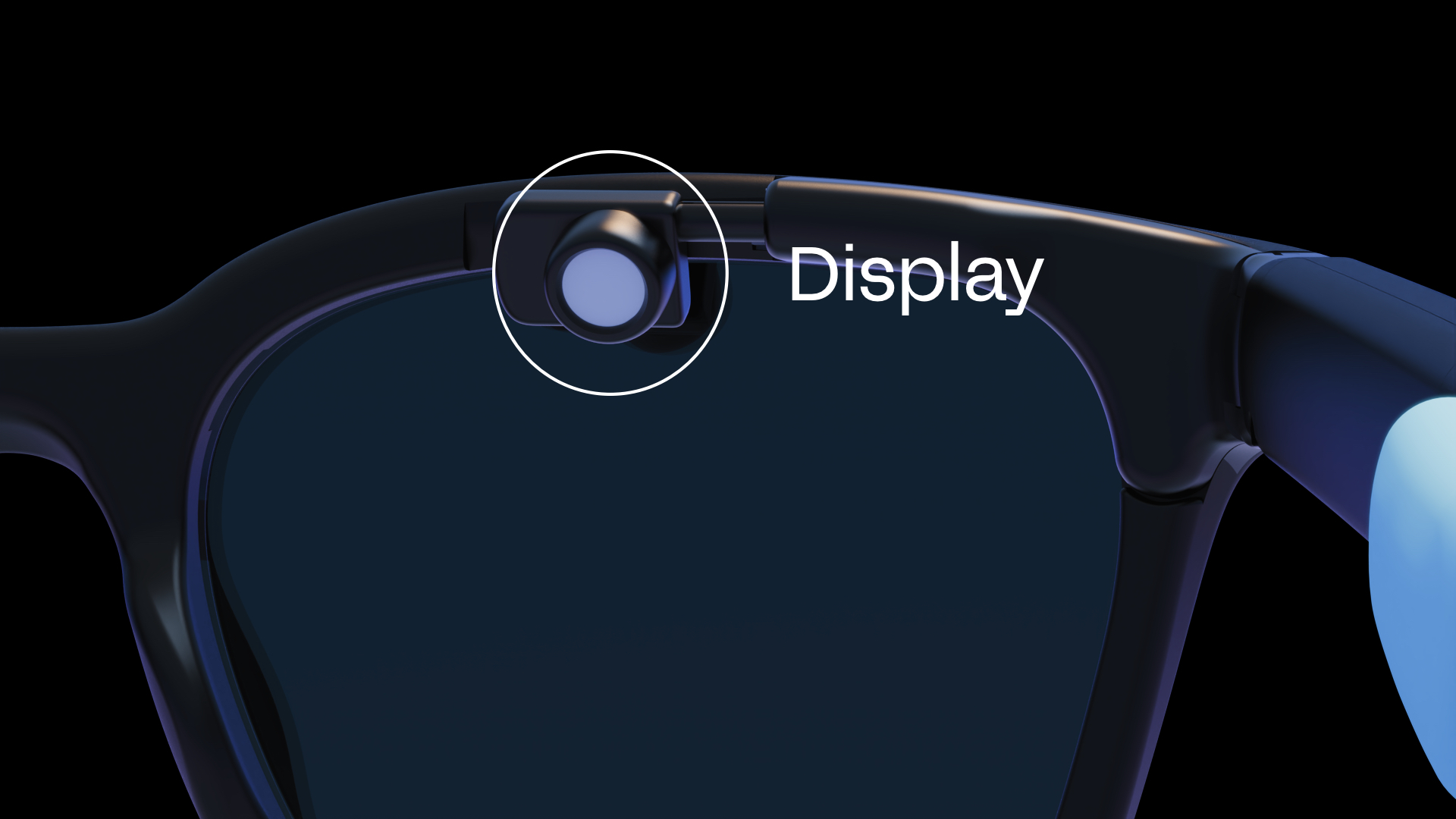
The display used in Halo is the full RGB color VGA020 OLEDoS (OLED on Silicon) micro-display from Guozhao Optoelectronics. It features 640×480 RGB pixels on a 0.2” panel with a 6.3μm pixel pitch, mounted to the top of Halo’s frame. It delivers full RGB color, a 10000:1 contrast ratio, 256 grayscale levels, up to 5000 nit peak brightness, and a refresh rate of 25–120Hz. It connects via MIPI (2-lane D-PHY) or Quad SPI.
Unlike Frame, Halo’s display has no double-buffer — draw calls take effect immediately, and no show() call is required.
Camera
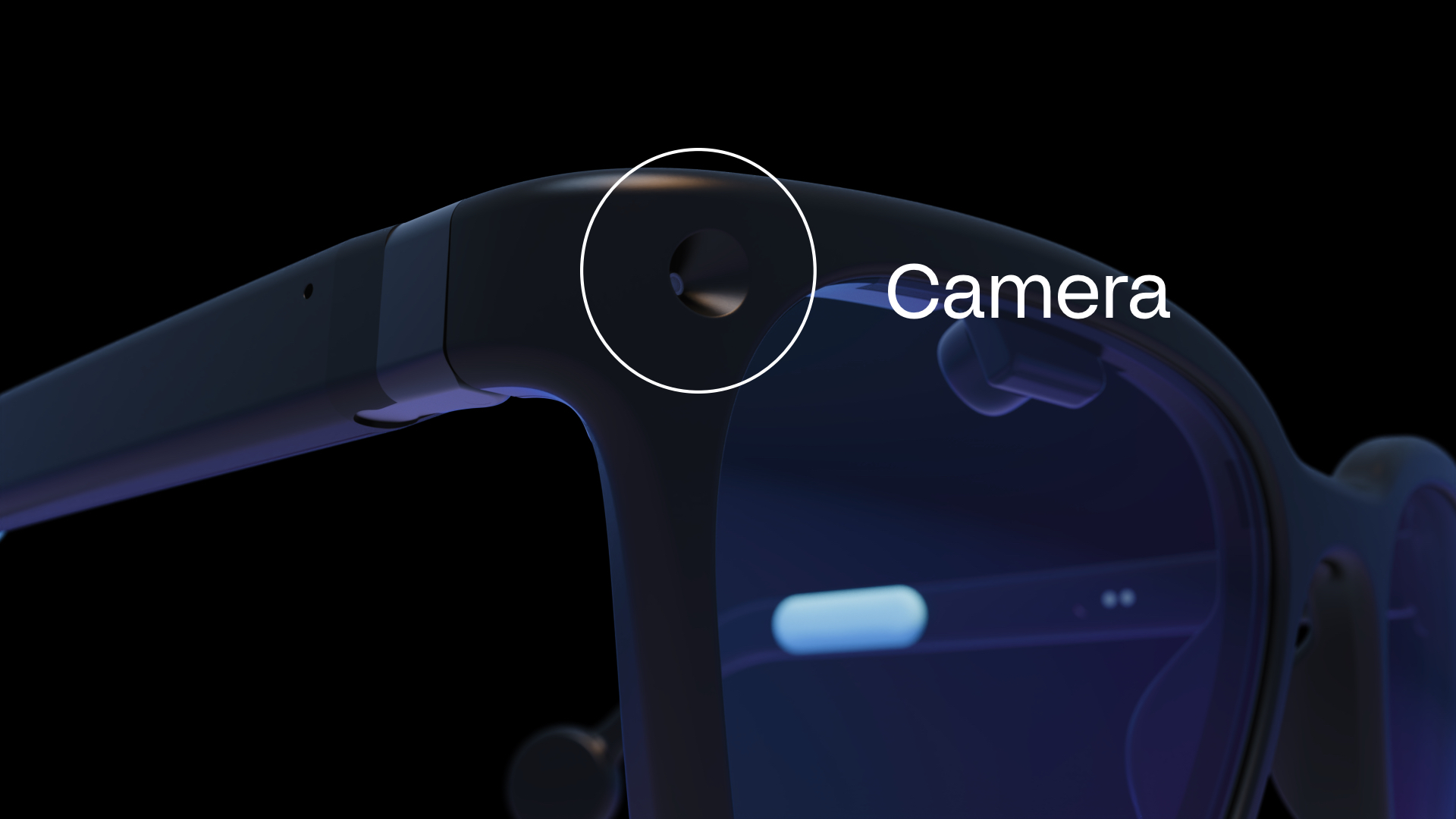
The front facing camera on Halo is the PAG7982J1 from PixArt Imaging — a compact VGA color camera module with a global shutter. It captures 640×480 images with an 81.2° horizontal field of view, and consumes just 40mW at full frame rate. The global shutter eliminates rolling shutter artefacts, making it well suited to computer vision applications.
Images are processed using the libmpix pipeline, allowing a configurable camera processing chain. To better understand how the camera subsystem of Halo works, check out the camera section in the Lua section of the Brilliant SDK.
Microphones
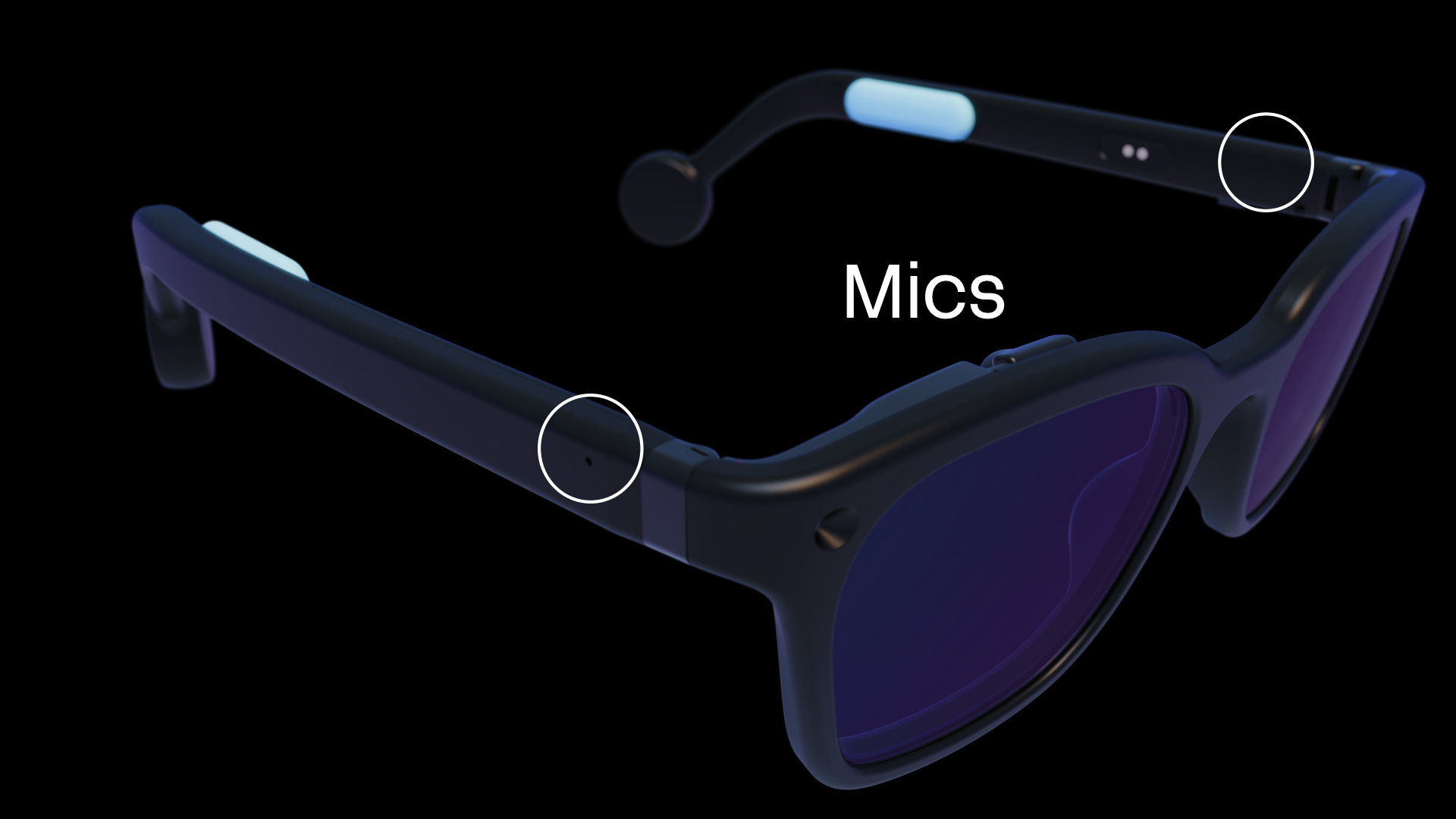
Halo features dual T5838 MEMS microphones from TDK. It has an exceptionally wide dynamic range with an SNR of 68 dBA and an acoustic overload point of 133 dB SPL, allowing it to hear everything from soft speech to loud booming noises. The digital PDM output connects directly to the Bluetooth MCU.
The microphones support multiple power modes — from a 310 µA high quality mode down to a 20 µA always-on mode for Audio Activity Detection (AAD) wake detection. The standard firmware allows for recording formats including PCM and LC3, with configurable sample rates.
Speakers
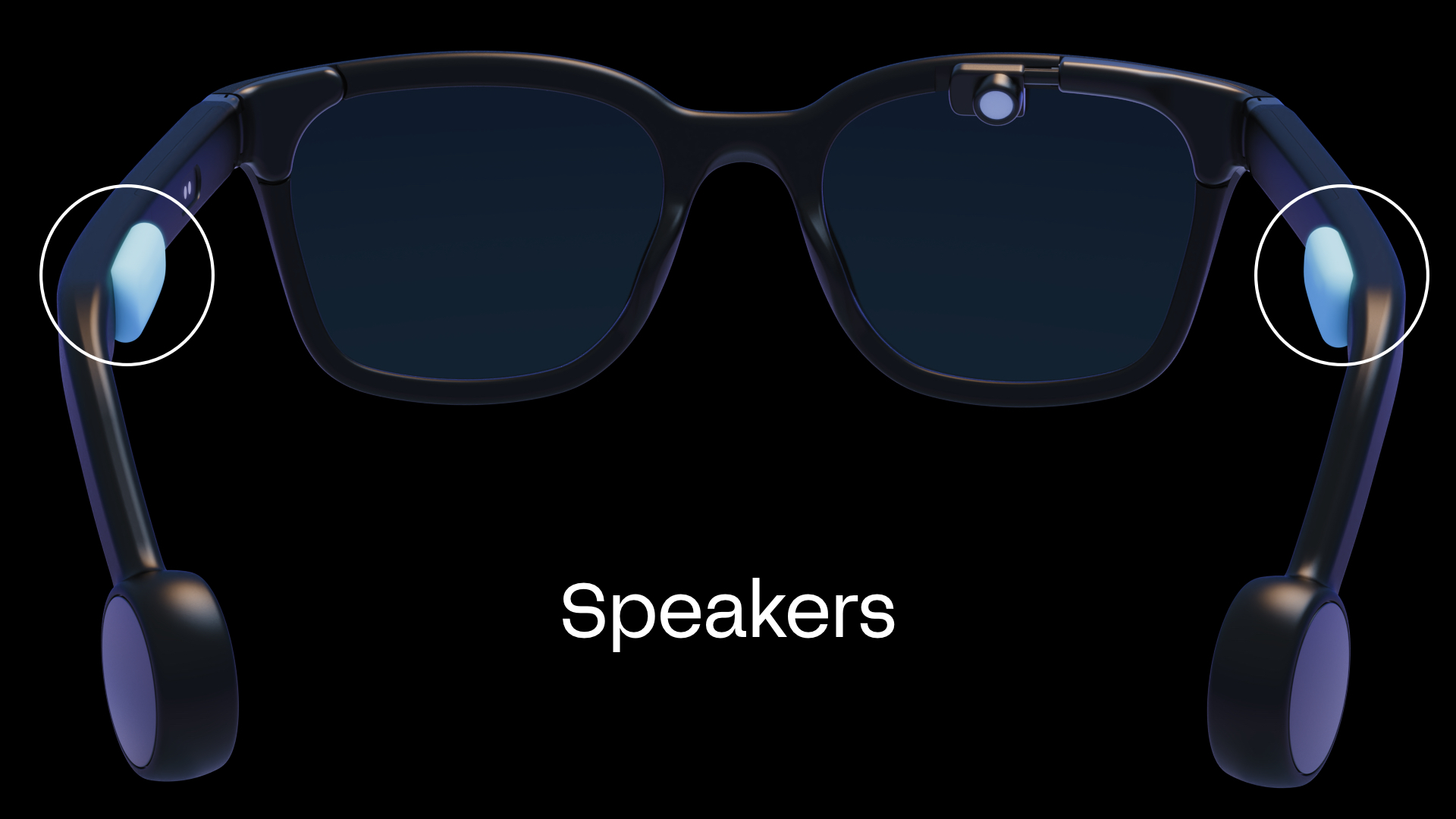
Halo features stereo bone conduction speakers from Thor Innovation, driven by a TPA2011D1 3.2W mono Class-D audio power amplifier from Texas Instruments. The TPA2011D1 is a filter-free Class-D amp in a tiny 1.21×1.16mm DSBGA package, with 95% efficiency, 1.5mA quiescent current, and auto-recovering short-circuit and thermal overload protection. Audio data is streamed from the host to Halo over a dedicated Bluetooth AUDIO TX characteristic, bypassing the Lua VM for low-latency delivery. Both PCM and LC3 audio formats are supported.
Motion Sensor (IMU)
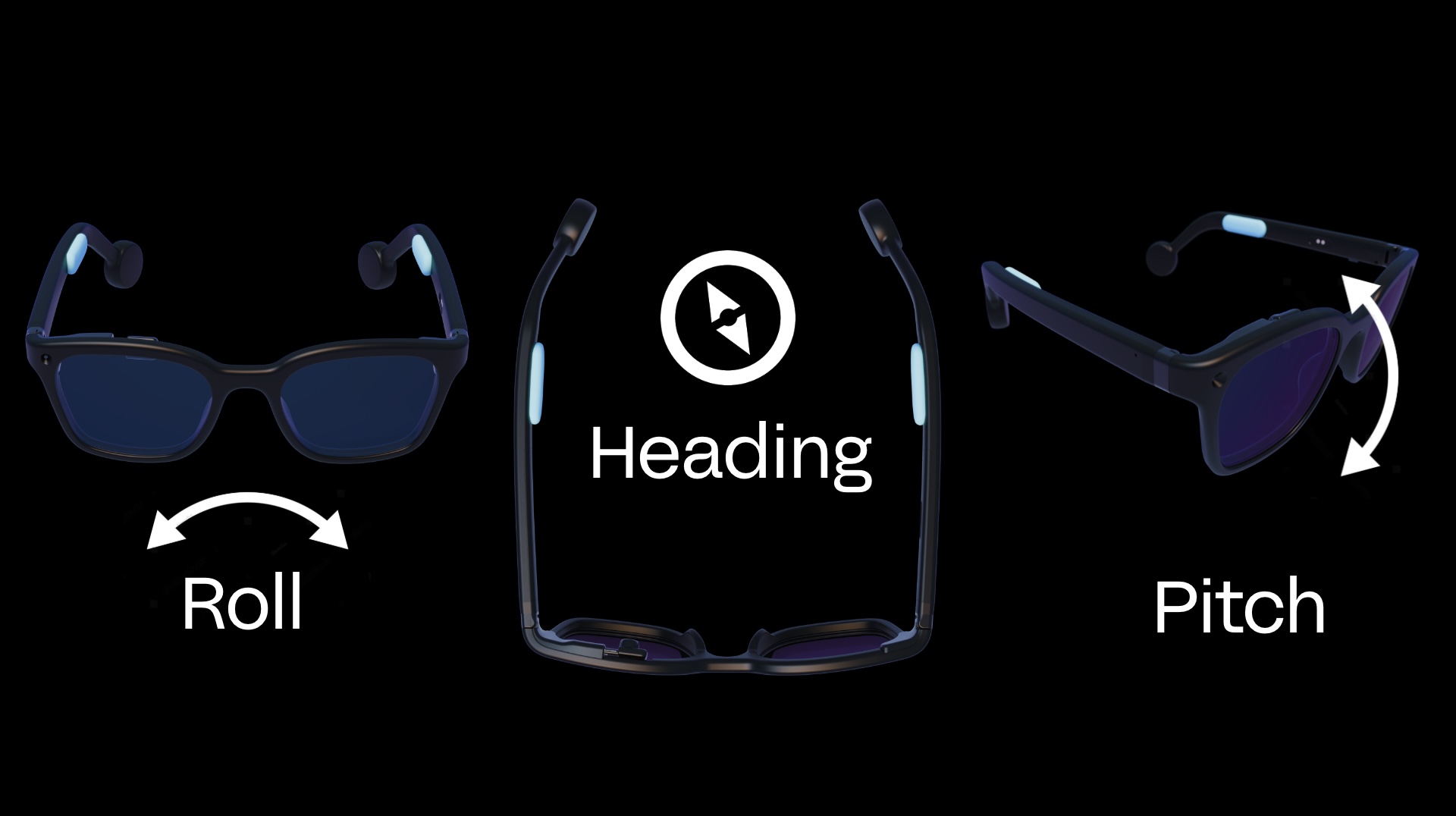
Halo’s motion sensing uses two sensors working together. The accelerometer is the BMA580 from Bosch Sensortec — a triaxial 16-bit accelerometer with configurable ±2/4/8/16g range, SPI/I²C/I3C interface, and just 125 µA typical current consumption. It includes an on-chip interrupt engine with single, double and triple tap detection. The e-compass is the QMC6308 from QST — a 3-axis magnetometer with ±3mT range, 16-bit resolution, and I²C interface consuming just 30 µA. Further processing on the Bluetooth MCU calculates the raw X, Y and Z values of both sensing elements into angular values for detecting head position.
An accelerometer interrupt line is also directly connected to the Bluetooth MCU. This allows for always on detection of taps that can be used to navigate and select UI elements within the user’s apps.
Button
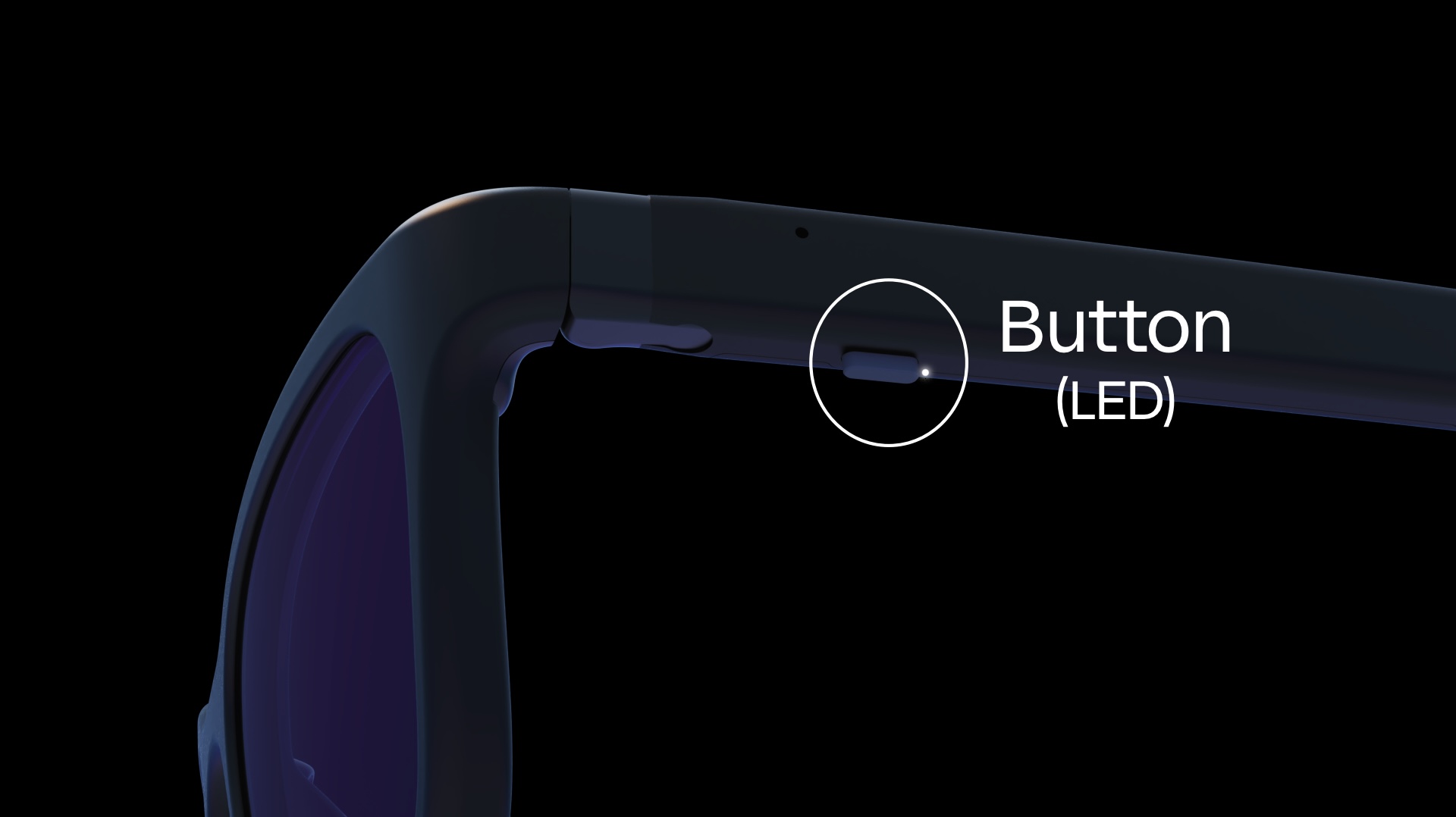
Halo has a button placed under the left arm for convenient access for power on/off, pairing, and user-programmable functions.
See Button controls for the default button functions.
Power
Battery charging
Halo uses the BQ25170 from Texas Instruments — a dedicated 800mA linear battery charger for 1-cell Li-Ion, Li-Polymer, and LiFePO4 batteries. It charges the two built-in GRP1654M1 NMC li-ion button cells from Grepow (150mAh each, 300mAh total, 3.7V nominal). Charge voltage and current are set via external resistors, and an NTC thermistor input monitors battery temperature to protect the cells during charging. The cells are rated for 1000+ charge cycles and support charging between 0°C and +45°C.
Charger
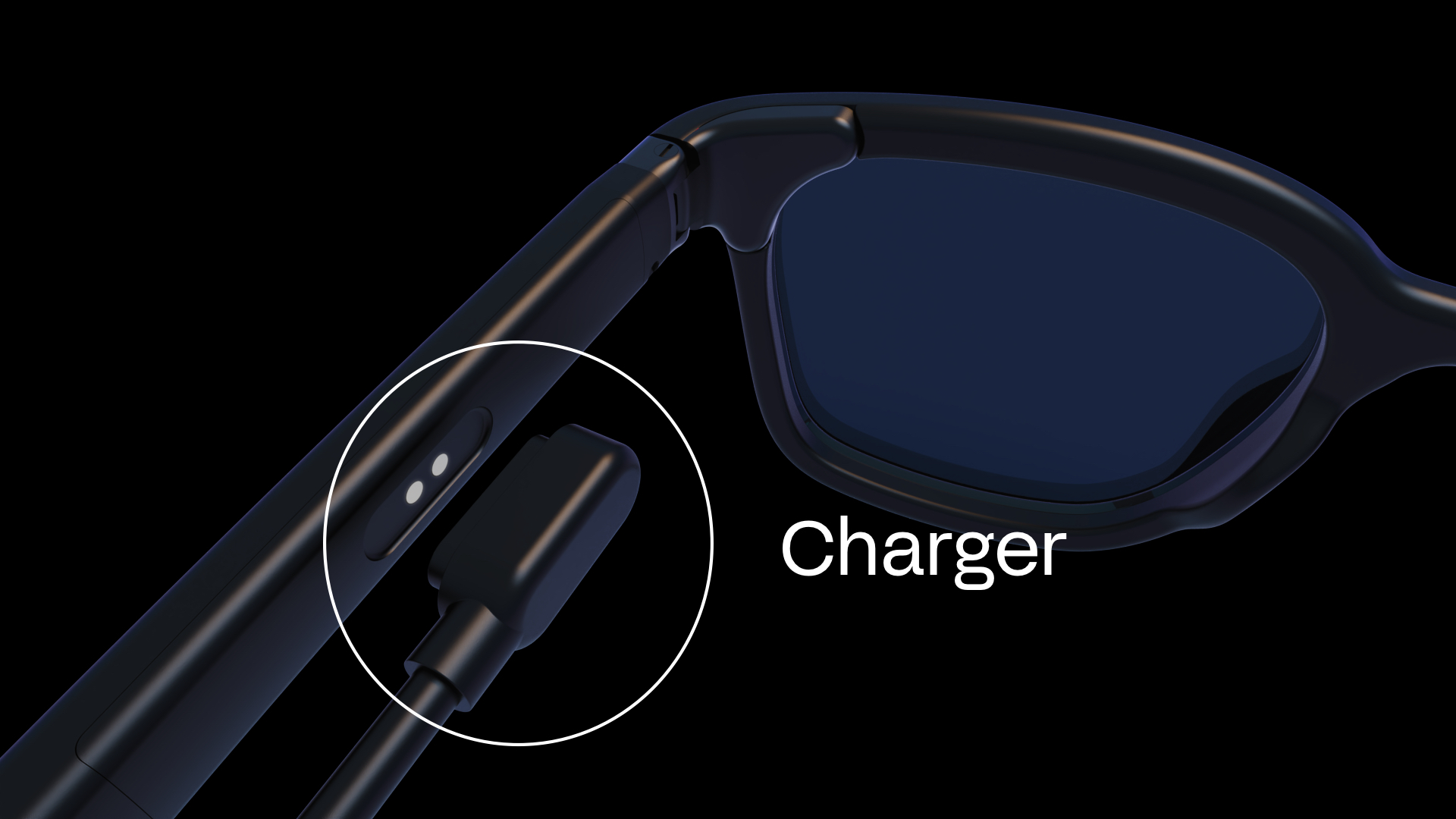
Halo uses a magnetic connector for convenient charging over USB Type-C.
Mechanical
Halo
Download the 3D Model in STL format
The model contains the full Halo assembly — the front, both lenses, and both temple arms in the open position.
Safety & limitation of liability
Safety
Brilliant Labs’ devices can obscure your vision and should not be used while driving or operating dangerous equipment. Additionally long periods of use may cause eye strain, headaches and motion sickness. Brilliant Labs’ devices can also display bright flashing images so may not be suitable for those who are susceptible to light sensitivity.
Critical applications
Brilliant Labs’ devices are intended for consumer and R&D applications. It is not verified for use where performance and accuracy would be critical to human health, safety or mission critical use.
Lithium batteries
Lithium batteries can be dangerous if mishandled. Do not expose Brilliant Labs’ devices to excess temperatures, fire or liquids. Do not try to remove the battery as the terminals can become shorted and result in the battery overheating or catching fire. Once the product reaches the end of it’s life, dispose it safely according to your local regulations, such as e-waste collection points where any volatile components can be properly contained and handled.
FCC notice
This device complies with part 15 of the FCC Rules. Operation is subject to the following two conditions: (1) This device may not cause harmful interference, and (2) this device must accept any interference received, including interference that may cause undesired operation.
Any Changes or modifications not expressly approved by the party responsible for compliance could void the user’s authority to operate the equipment. Note: This equipment has been tested and found to comply with the limits for a Class B digital device, pursuant to part 15 of the FCC Rules. These limits are designed to provide reasonable protection against harmful interference in a residential installation. This equipment generates uses and can radiate radio frequency energy and, if not installed and used in accordance with the instructions, may cause harmful interference to radio communications. However, there is no guarantee that interference will not occur in a particular installation. If this equipment does cause harmful interference to radio or television reception, which can be determined by turning the equipment off and on, the user is encouraged to try to correct the interference by one or more of the following measures:
- Reorient or relocate the receiving antenna.
- Increase the separation between the equipment and receiver.
- Connect the equipment into an outlet on a circuit different from that to which the receiver is connected.
- Consult the dealer or an experienced radio/TV technician for help.
The device has been evaluated to meet general RF exposure requirement. The device can be used in portable exposure condition without restriction.
Limitation of liability
Brilliant Labs provides technical data, including design resources, examples, applications, design advice, tools, safety information and other resources “as is” and disclaims all warranties, express and implied, including without limitation any implied warranties or merchantability, fitness for a particular purpose or non-infringement of third party intellectual property rights.
These resources are intended for skilled developers. You are solely responsible for selecting the appropriate products for your application, designing, validating and testing your application, and ensuring your application meets applicable standards, and other safety, security, regulatory or other requirements.
Brilliant Labs reserves the right to change the circuitry and specifications without notice at any time. The parametric values quoted in this manual are provided for guidance only.
The resources and products are provided subject to our terms and conditions.