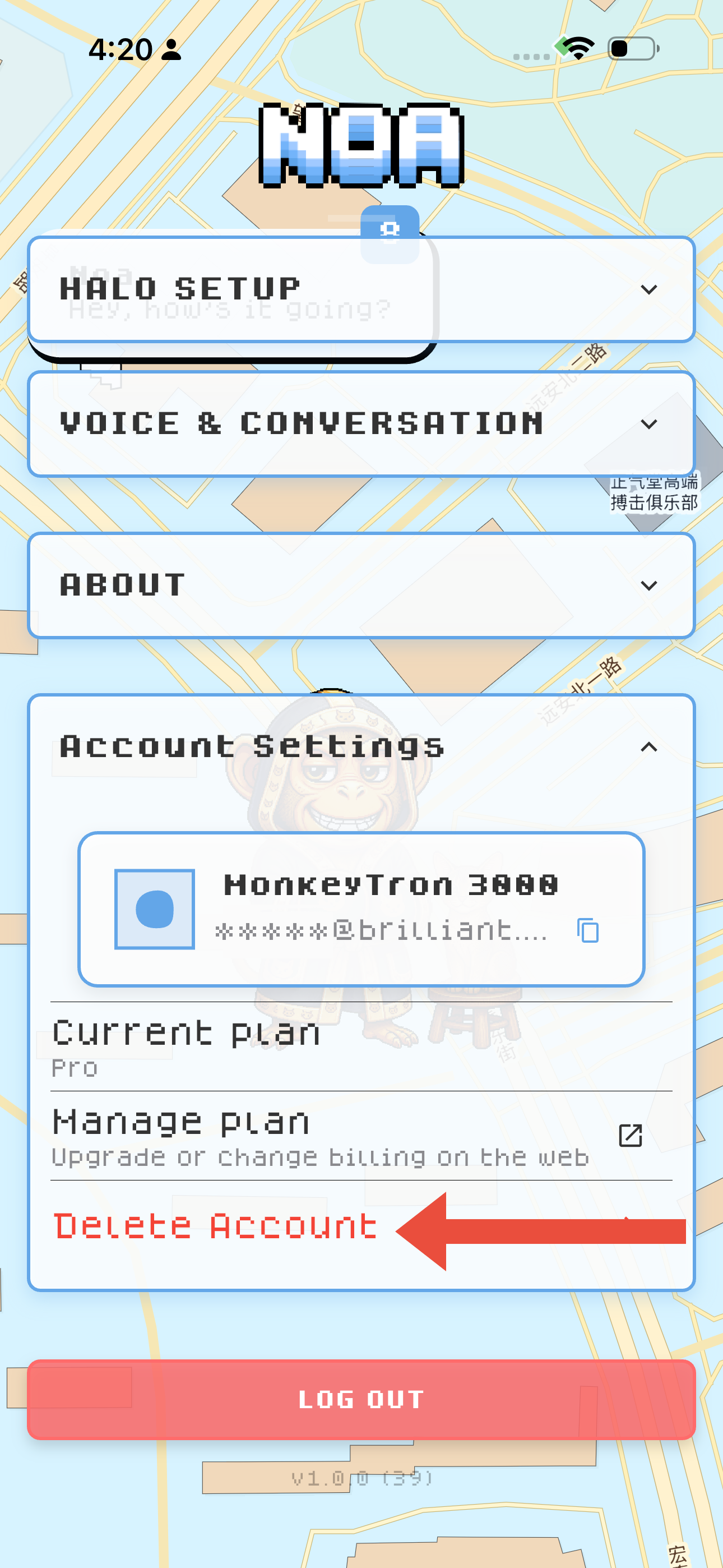
Deleting your Brilliant Noa account
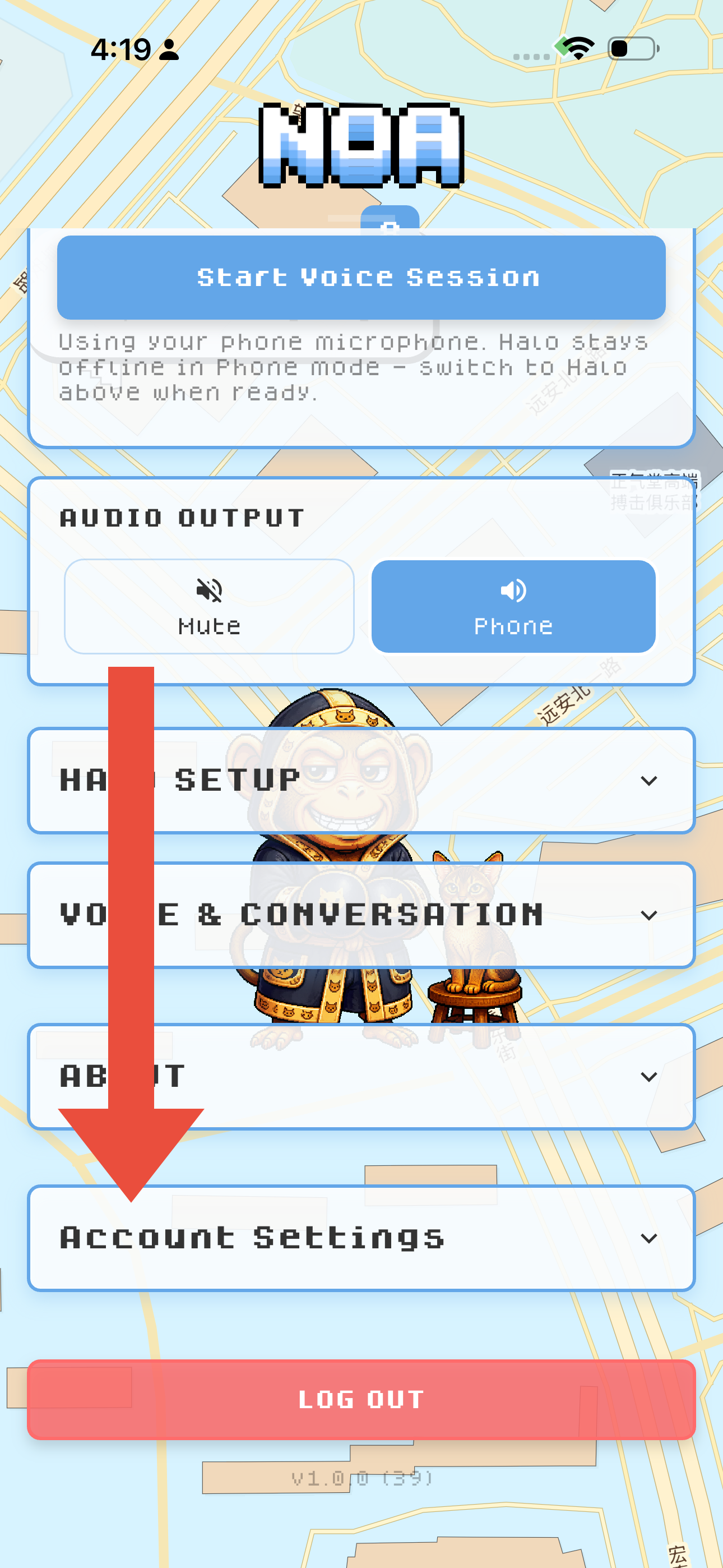
To delete your Brilliant Noa account, click on the NOA title to bring up the menu. Scroll down to Account Settings and tap on it to expand the section.
Tap Delete Account and confirm. Your account will then be deleted after 30 days. If you log back within 30 days, your account will be restored.